With new information being made to Wikipedia all the time, it’s not surprising that some of that information has spelling errors. Whenever you’re using Wikipedia and you notice a spelling error, you can fix it and improve the encyclopedia! If you really like correcting spelling, you can guess words you think may be misspelled, and search for those misspellings directly to find things to fix. Here are some typos that are in Wikipedia right now:
One good source of misspellings is any common word that you yourself frequently mistype which results in a misspelled word. For example, I regularly type “damange” instead of “damage” (currently 11 instances in Wikipedia). Less common words may not be as successful; I also regularly type “meatdata” for “metadata” (currently 0 instances in Wikipedia).
Another way to find misspellings is to think of words that are likely to be common on Wikipedia, and to introduce misspellings by adding, removing, or swapping letters. For example, months of the year and days of the week commonly appear in articles, in reference to historical events or in citations of resources. Searching directly for words like “Dcember” or “Satturday” will find these errors.
To help with this task, Wikipedia maintains a lengthy list of commonly misspelled words. You can find this list by searching for “commonly misspelled words”:

Search Wikipedia for the misspelled word that you’ve chosen. If anyone has made this misspelling, you’ll see search results with that term highlighted:

Correcting the Error
Once you’ve identified an article to fix, click the article’s title to open it. Click the Edit tab at the top of the article to start editing:
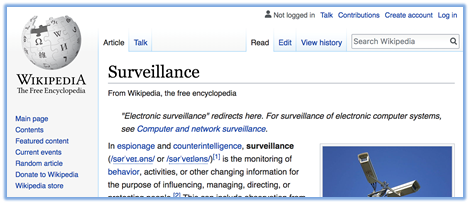
If you’re given the option to choose an editor, the visual editor is recommended when you’re new to editing Wikipedia.
Once you’re editing, you can search for your misspelling with ctrl-F, or by scrolling down until you see it. It may even be underlined in red:

Now you can edit and make the change just like you would in Microsoft Word or any other word processor:

Saving your changes
Once you’ve made your changes, you can save them to Wikipedia using the Publish Changes… button on the upper right of the page, which will bring up this window:

Mark your edit as minor, and enter a brief edit summary, including a description of the changes you made, as well as any hashtags for projects your edits should be counted for, such as:
#BLMatUKY – Black Lives Matter edit-a-thon at UK Libraries
When you are done, click Publish changes to save your correction to Wikipedia.
Note
When you’re editing, read around the misspelled word carefully to confirm that you should make the correction! For example, if the word is part of a quotation, whether or not it is marked with [sic], it may have been transcribed accurately. If it is part of a reference, the misspelling may be in the source being cited. If it is part of a URL, fixing the spelling there may break the link. In all of these cases, the correction should not be made.
Also, very common typos will often be in a “redirect” in case people accidentally type them while searching. These look like this, and should also be left alone:

